[an error occurred while processing this directive]
MkLinux: Getting Started[an error occurred while processing this directive]: Installation
[an error occurred while processing this directive](none)
[an error occurred while processing this directive]
 Previous Previous
|
[an error occurred while processing this directive]

|
[an error occurred while processing this directive]
Next
|
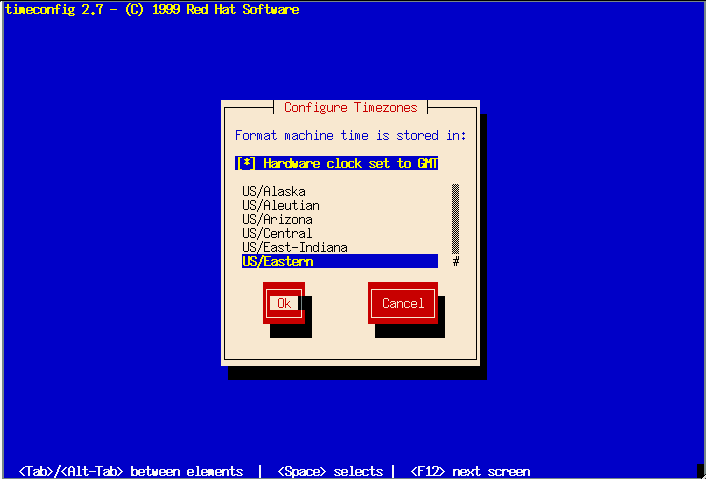
"Configure Timezones" Screen
This is the place to set your local timezone. Use the up and down
arrow keys to select the correct timezone from the list.
You should always check the "Hardware clock set to GMT" box if you
want MkLinux to read your Mac OS clock correctly. Don't worry;
this will not affect your Mac OS clock in any way.
 [an error occurred while processing this directive]
|
[an error occurred while processing this directive]
Previous
|
[an error occurred while processing this directive]
|
[an error occurred while processing this directive]
Next
|
Contact the web team at mklinux-www@mklinux.org.
Copyright (©) 2001 MkLinux Developers Association. Permission to freely
distribute this document is hereby granted, provided that it is distributed at
no charge other than normal connect-time charges. All rights other than those
specifically granted above are reserved.
 Getting Started[an error occurred while processing this directive]:
Installation
Getting Started[an error occurred while processing this directive]:
Installation

