[an error occurred while processing this directive]
MkLinux: Getting Started[an error occurred while processing this directive]: Installation
[an error occurred while processing this directive](none)
[an error occurred while processing this directive]
 Previous Previous
|
[an error occurred while processing this directive]

|
[an error occurred while processing this directive]
Next
|
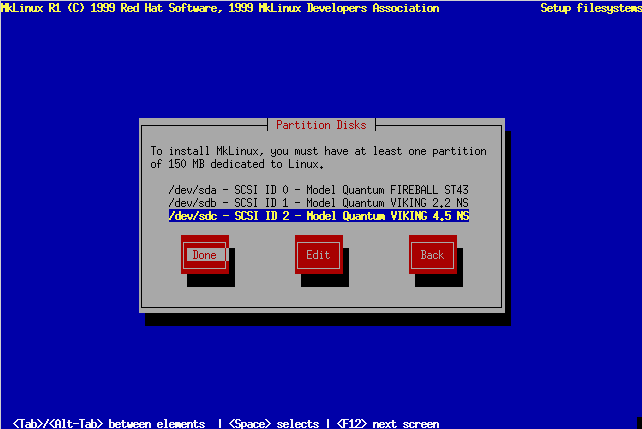
"Partition Disks" Screen
The installer will show you a list of disks on your system that MkLinux
has recognized. If you select one and choose "Edit", you will be
able to view and optionally change that disk's partition map using the
MkLinux version of pdisk. When you have finished viewing/editing
the partition maps on various disks, choose "Done".
(Don't confuse this screen with the upcoming
"Partition Disk" screen.)
 [an error occurred while processing this directive]
|
[an error occurred while processing this directive]
Previous
|
[an error occurred while processing this directive]
|
[an error occurred while processing this directive]
Next
|
Contact the web team at mklinux-www@mklinux.org.
Copyright (©) 2001 MkLinux Developers Association. Permission to freely
distribute this document is hereby granted, provided that it is distributed at
no charge other than normal connect-time charges. All rights other than those
specifically granted above are reserved.
 Getting Started[an error occurred while processing this directive]:
Installation
Getting Started[an error occurred while processing this directive]:
Installation

